Pages

Showing posts with label Facebook Hacks. Show all posts

Monday

How To add Facebook Like and Share Button to Website & Blog

NEW Facebook Like  Button


  1. Go To Blogger > Template > Edit HTML
  2. Backup your template
  3. Click Expand widgets templates box
  4. Search for <data:post.body/>
  5. Now add the code below it so that button appear at bottom of your post
    Or
    Add the code above "<data:post.body/>" so that button appear at top of your post
 code style 1::

<div id="fb-root"></div><script src="http://connect.facebook.net/en_US/all.js#xfbml=1"></script><fb:like href="" send="true" layout="button_count" width="450" show_faces="false" font=""></fb:like>
 

FB Share Button blogger

                                       Go down for FB New Like button

Friday

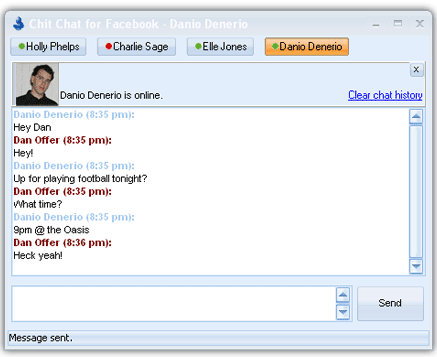
Colorful Texts In Facebook Chat

       Know how to Send Colorful Texts in chat ,impress others in group chat 

Colorful text boxes in Facebook chat  


Codes are Below with Their Alphabets

facebook hacking & Tricks


[[107015582669715]] = A

[[116067591741123]] = B

[[115602405121532]] = C

[[112542438763744]] = D

[[115430438474268]] = E

[[109225112442557]] = F

[[111532845537326]] = G

[[111356865552629]] = H

[[109294689102123]] = I

[[126362660720793]] = J

[[116651741681944]] = K

[[115807951764667]] = L

[[106596672714242]] = M

[[108634132504932]] = N

[[116564658357124]] = O

[[111669128857397]] = P

[[107061805996548]] = Q

[[106699962703083]] = R

[[115927268419031]] = S

[[112669162092780]] = T

[[108983579135532]] = U

[[107023745999320]] = V

[[106678406038354]] = W

[[116740548336581]] = X

[[112416755444217]] = Y

[[165724910215]]       = Z


Thursday

How to download completed data from Facebook


  How to download all the photos from Facebook       

       Are you a serious Facebook user ? You have too much ‘important’ data on Facebook. If yes then this article is for you. In this article we will teach you how to download you complete data from Facebook.

What will be there in Downloaded file ?

  • Photos or videos you’ve shared on Facebook
  • Your Wall posts, messages and chat conversations
  • Your friends’ names and some of their email addresses


Follow the given steps to download your data from Facebook :

1. Log-in to Facebook
2. Navigate to ‘Account Settings’
3. Move to ‘General Tab’
4. Under in ‘General Tab’ below Language setting, Click on ‘Download a copy’ of your Facebook data.
5. Now a new page will be opened, on it Click on ‘Start my Archive’

That’s it !! Once you click on ‘Start my Archive’ again you will be sent a email with attachment of download copy of your Facebook data
     Dowload Fb Hack tools


Awesome Facebook Tricks & TipS


1. View a Friend’s Profile Without Messy Applications:

If you are like me, you often get annoyed by the dozens of silly applications that people have added to their profile. Here’s a Grease Monkey script that allows you to view any profile without all those applications. Remember: the Mozilla Firefox web browser is a prerequisite for running Greasemonkey.


2   Colorful Texts In Facebook Chat

             Colorful text boxes in Facebook chat  .This can be done using simple numbers in fb to know more about this go here.


3. Update Facebook Status In Blue Text

          Looking to add a new thing in your status (Timeline ) Then you are in a right place .This trick is really Impressive and easy , It make your status Unique and Different from Others status.
                             To know more about this go here.

      1.)    In Status Update just Copy and Paste Following Code

                 @[1: ]@@[1:[0:1: Type Here]
.


4. Schedule Facebook Messages To Be Send Later:

If you want to schedule your Facebook messages to be send sometime in the future, Sendible is a great tool to do that. You can also use Sendible to schedule your status updates.

Tuesday

Update Facebook Status In Blue Text

          Looking to add a new thing in your status (Timeline ) Then you are in a right place .This trick is really Impressive and easy , Its make your status Unique and Different from Others status


      1.)    In Status Update just Copy and Paste Following Code

                 @[1: ]@@[1:[0:1: Type Here]]


Facebook tricks & hacks
         2.)   Replace "Type Here" with your own text .Now you are done with the status 
                submit it 

       Facebook Tricks & Tips 

                     
Related Posts Plugin for WordPress, Blogger...